Hardware & Display Technology
Every VR display is solving the same handful of problems — how wide a view it shows, how it tracks your head, how it focuses light into your eyes, and what you give up to get there. This unit works through those tradeoffs property by property, then tours the major display types built from them.
Overview
A VR system inserts hardware into the loop between a person's senses and their actions: output devices (displays) replace what reality would normally show the senses, and input devices (trackers, controllers) replace what reality would normally sense from the body's actions.
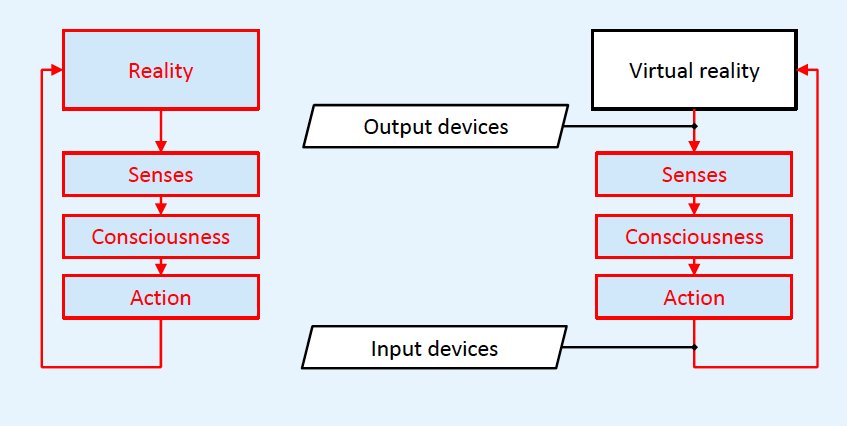
Two Families of Immersive Display
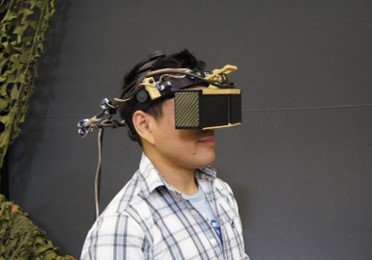
Head-Mounted Displays (HMDs) are worn on the body; Head-Tracked Displays (HTDs) are fixed in the room.
HMDs — Oculus Rift, Oculus Quest, HTC Vive (Pro), Valve Index, Windows Mixed Reality — move with the user's head, so the display itself must be tracked. HTDs — single-screen setups, surround-screen rooms, workbenches, arbitrary-surface projections, and autostereoscopic displays — stay in a fixed location, so instead the user's head must be tracked to keep the perspective correct.
General Display Properties
Properties that describe any visual display, immersive or not.
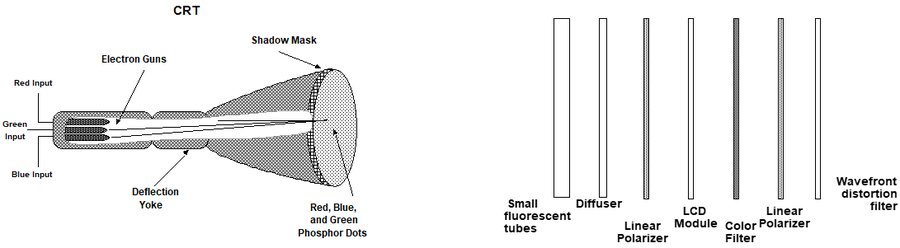
Emitting Technology
Display technologies include liquid crystals (LCD), light-emitting diodes (LED/OLED), digital light processing (DLP), and older CRTs — each with a different way of turning an electrical signal into light.
Spatial Resolution
Spatial resolution is a measure of visual quality, and depends on both the number of pixels and the size of the screen.
It's commonly measured in dots per square inch (dpi) or cycles per degree — the latter matters more for HMDs, since the same pixel count spread over a wider field of view looks less sharp.
Snellen acuity = 20 / (600 / cycles per degree) → 600 / 12.8 = 47 → 20/47 vision — noticeably blurrier than the 20/20 baseline.
Temporal Resolution
Refresh rate (Hz) is how fast a display refreshes the image already in its buffer.
It's commonly confused with frame rate, which is how fast new images are generated and placed into that buffer in the first place — a display can refresh at 90Hz while the application only manages 45 new frames per second.
Immersive Display Properties
Properties specific to displays meant to immerse a user in a virtual space.
Grounding
Grounding is the point of contact between the display screen and the world and/or the participant.
Display Channels
Two simultaneous visual display channels with separate views are required for stereopsis.
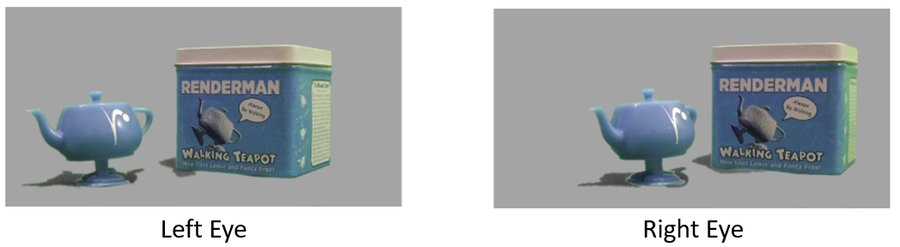
Spatial multiplexing
Positions separate images for each eye side by side.
Temporal multiplexing
Time-interlaces different images per eye using active shutter glasses.
Polarization multiplexing
Filters two overlaid sources through oppositely polarized filters.
Spectral multiplexing
Anaglyphic stereo — displays each eye's view in a different color.
Screen Geometry
Screens come in a variety of shapes — rectangular, circular, L-shaped, hemispherical, and hybrids. Projection mapping extends this further, supporting display on any surface at all.

Field of View (FOV) & Field of Regard (FOR)
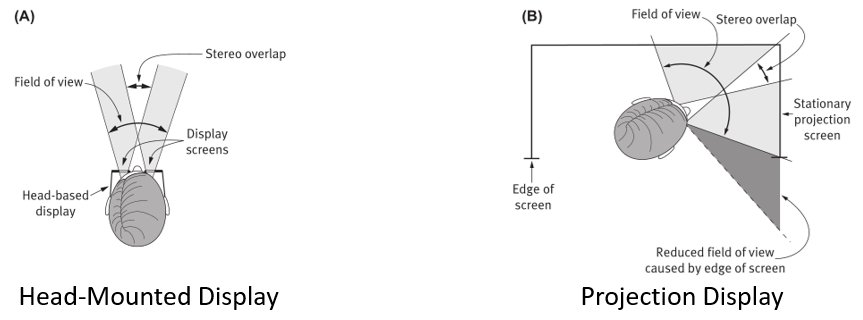
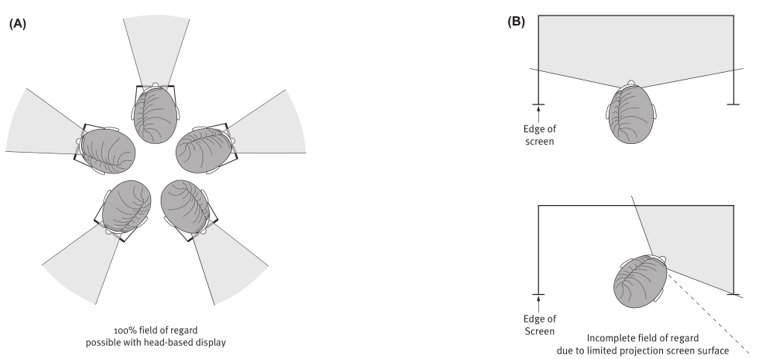
Field of view is the maximum visual angle seen instantaneously; field of regard is the total physical space around the user in which images can be displayed.
An HMD can offer a 100% field of regard simply by covering the eyes wherever the head turns — a fixed projection screen cannot, since turning away from it exposes empty space.
Focal Distance
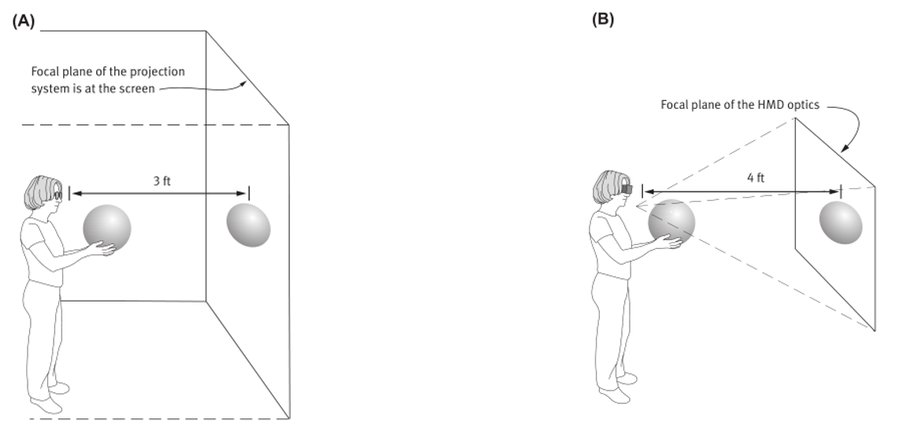
Focal distance is the apparent optical distance of the images from the viewer's eyes.
With most current technology, all images sit on the same focal plane regardless of their intended virtual distance from the viewer — a major source of the accommodation-convergence mismatch covered later in this unit.
Latency
Latency is the delay between user movements and display updates — the "motion to photon" delay every VR system has some amount of.
High latency is stressful for the viewer's perceptual system, and can manifest as nausea or headaches.
Optics
Optics let images displayed close to the eyes appear farther away — essential for every VR headset, down to the basic convex lens in the cheapest cardboard viewer. Different lens designs trade off field of view, sharpness, size, and cost.
Simple Magnifier HMD Design
Images display directly in front of the user's eyes on one or two small screens; refractive lenses and/or mirrors magnify them into a larger virtual image.
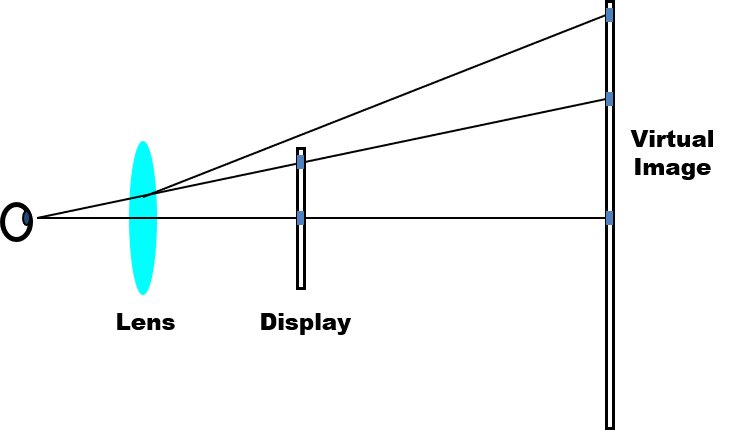
Fresnel Lens
A Fresnel lens is a concentric series of simple lens sections — thin, with a short focal length and large diameter.
This gives more even resolution distribution and less distortion than a single thick lens, at a fraction of the weight, which is why most consumer HMDs use them.
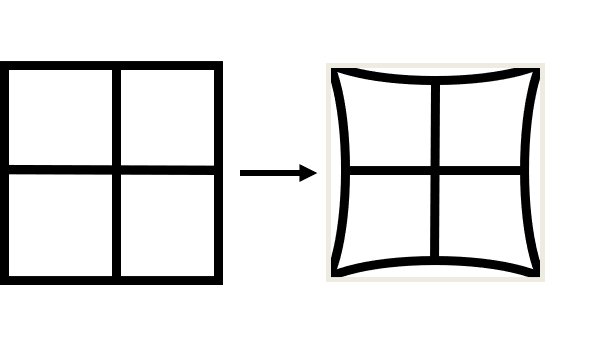
Lens Aberrations
Spherical aberration distorts the shape of the image — straight lines render curved — so the graphics system must pre-distort the image to compensate.
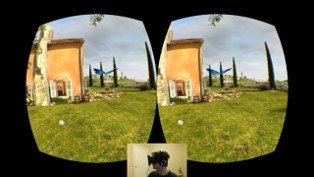
Chromatic aberration warps different color wavelengths by different angles, creating a ghost-like fringe where one color continues past an object's edge.
It's most visible at the edges of the lens and least visible in the center of the view.


LEEP Optics & FOV Distortions
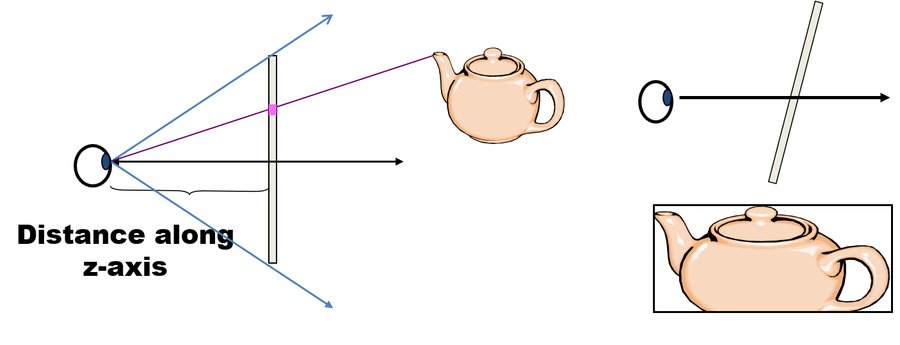
LEEP (Large Expanse, Extra Perspective) optics trade a very wide field of view and higher central resolution for lower peripheral resolution and intentional pincushion distortion.
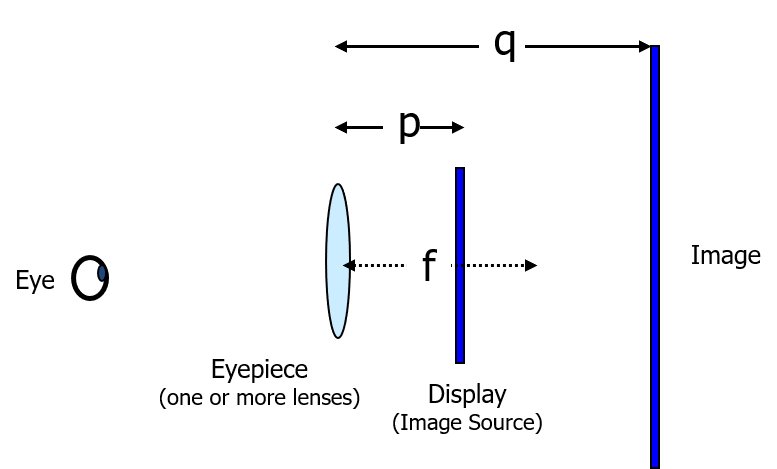
Collimated Displays & the Thin Lens Equation
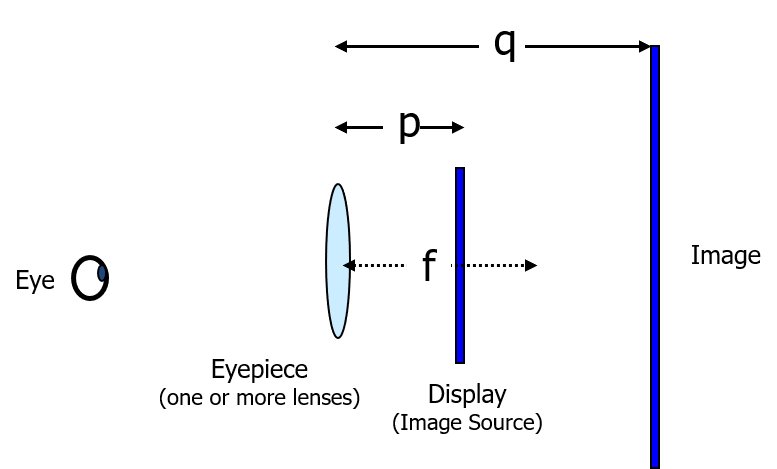
If the image source sits exactly at the lens's focal point, the virtual image appears at optical infinity — useful for flight simulators, where distant objects should stay in focus without eye strain.
Other HMD Terminology
Exit Pupil
The area behind the optics from which the entire image is visible. A large exit pupil matters when IPD isn't adjustable or the mount isn't secure.
Vignetting
The blocking or redirecting of light rays as they pass through an optical system, darkening the edges of the view.
Eye Relief Distance
The distance from the HMD's last optical surface to the front surface of the eye.
Augmented Reality HMDs
Optical see-through displays place partially transparent, partially reflective combiners in front of the eyes.
These give a direct, full-resolution, zero-delay view of the real world, but registration problems between real and virtual content are highly visible.
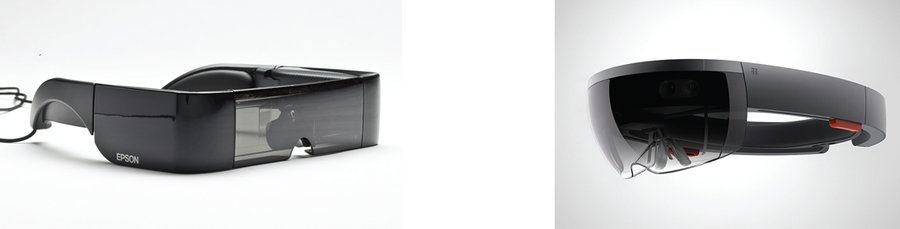
Video see-through displays instead stream real-time video from head-mounted cameras into the graphics pipeline.
This is easier to achieve with a regular VR HMD and supports a wider field of view, but the real world typically ends up at lower visual quality and with added latency.
Logistic Display Properties
Practical properties that determine whether a display fits a given use case.
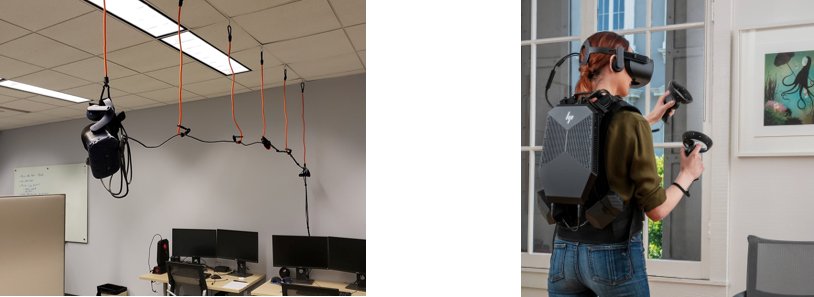
Ergonomics & Mobility
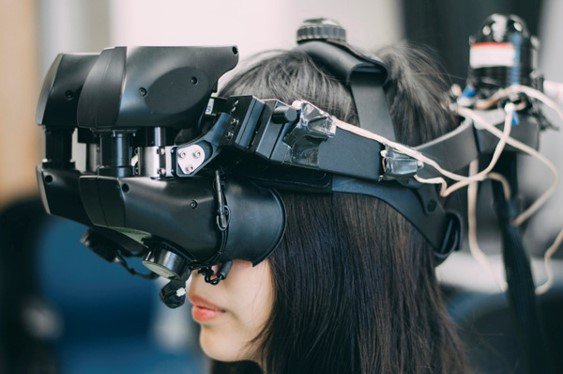
Immersive displays should be comfortable, unobtrusive, and lightweight. Mobility — whether a tethered cable requires management, or a headset is fully untethered — directly affects both immersion and usefulness.
Tracker Integration
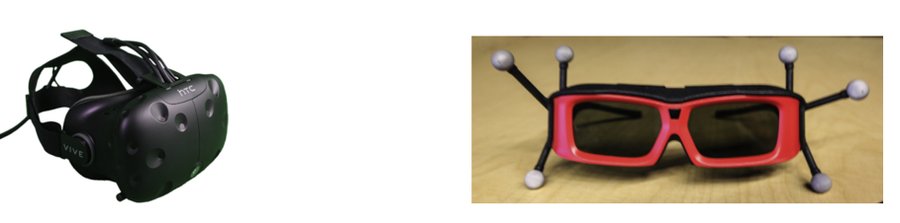
The type of visual display can also influence integrated motion tracking — tracking systems with a limited operating range or that require cables will restrict the user's movement.
Light Pollution & Environment Requirements
Light pollution — excess visible light from an external or internal source — can interfere with the visual presentation of the virtual world, though most consumer headsets seal tightly enough against the face that it's a non-issue. Projection-based displays, by contrast, generally need to limit external light to maintain contrast, and the size of the physical space becomes a major factor for any room-scale display.
Portability
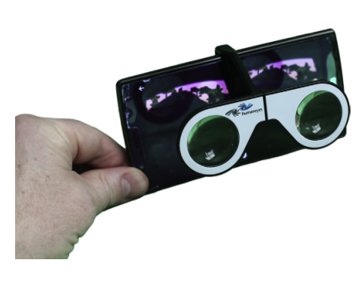
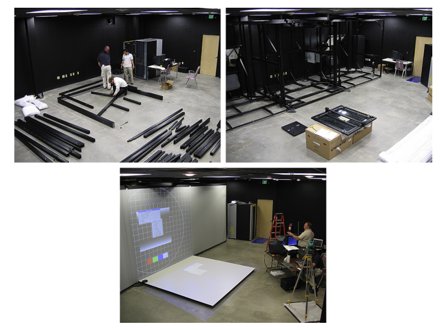
Portability ranges from a folding handheld stereoscope to a room-scale rig that takes a team hours to assemble.
Throughput & Safety
Head-mounted displays are inherently single-user; projection-based systems can support multiple people physically present, but only one can be the "driver" who receives the geometrically correct perspective — everyone else sees a distorted view. Safety-wise, the most obvious HMD risk is tripping or colliding with real-world objects while unable to see them, and eye fatigue or nausea afterward is common enough that users are advised not to drive immediately after a session.
Head-Mounted Displays
HMDs are wearable displays coupled to the user's head, integrating electronic, optical, mechanical, and often audio components.
Ocularity
Monocular
Image goes to only one eye.
Biocular
An identical image goes to both eyes.
Binocular
Different but matched (stereoscopic) images go to each eye.
Interpupillary Distance (IPD)
IPD is the horizontal distance between a user's eyes — a display set too high causes eye strain and fusion problems; too low reduces the stereoscopic volume.
Always adjust the IPD setting when putting on a VR headset.
| Gender | Sample size | Mean | Std. dev. | Min | Max | Percentile | ||||
|---|---|---|---|---|---|---|---|---|---|---|
| 1st | 5th | 50th | 95th | 99th | ||||||
| Female | 1986 | 6.17 | 0.36 | 5.10 | 7.45 | 5.35 | 5.55 | 6.20 | 6.75 | 7.05 |
| Male | 4082 | 6.40 | 0.34 | 5.30 | 7.70 | 5.60 | 5.85 | 6.40 | 7.00 | 7.25 |
Advantages & Disadvantages
Advantages
- Complete visual immersion (360° field of regard)
- Each user can have their own HMD
- No need for temporal multiplexing between users
- More portable and less expensive than other immersive displays
Disadvantages
- Accommodation-convergence mismatch
- Must deal with weight and ergonomic issues
- Cannot see the real world (VR HMDs)
- Physical objects need graphical representations
Head-Tracked Displays & Stereoscopic Rendering
Fidelity
Fidelity is the degree to which a display's sensory stimuli correspond to what would be present in the real world.
It's more precise and quantifiable than the broad concept of "immersion," comprising many components — spatial resolution, FOV, FOR, and more — and is a useful lens for picking the right display for a given application.
Head-Tracked Displays
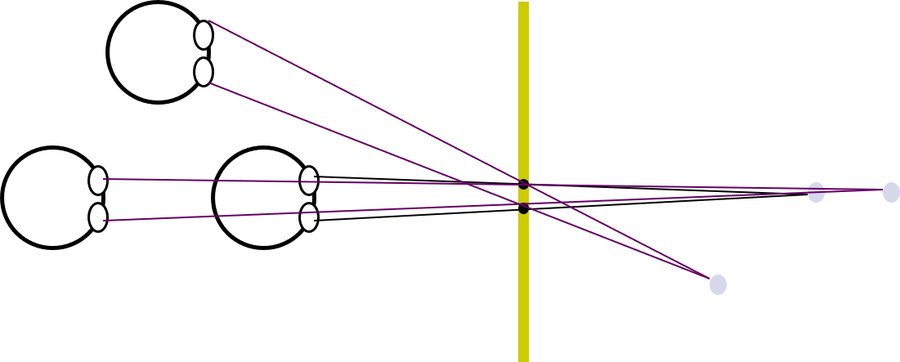
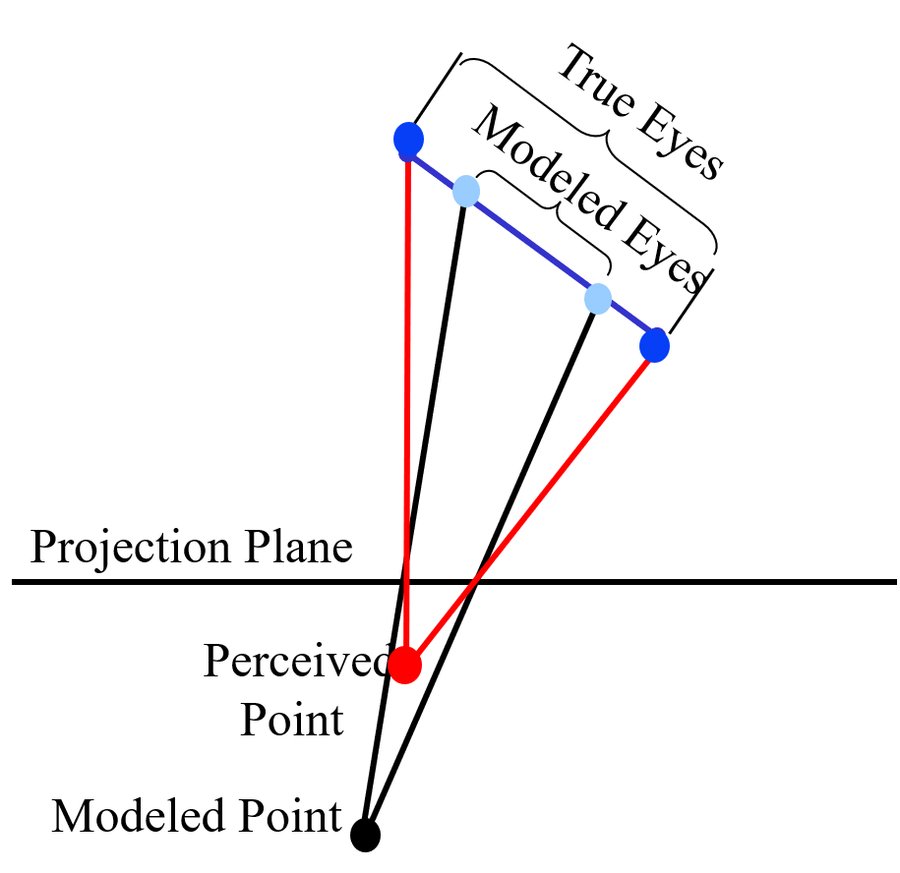
In a head-tracked display, the screen sits at a fixed location in physical space, so head tracking is required to keep imagery perspective-correct as the viewer moves.
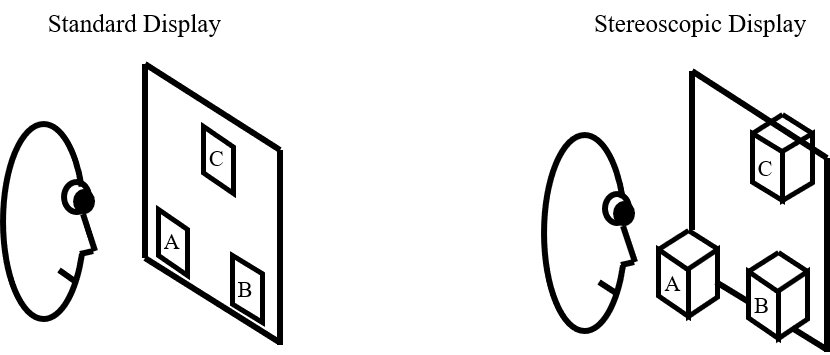
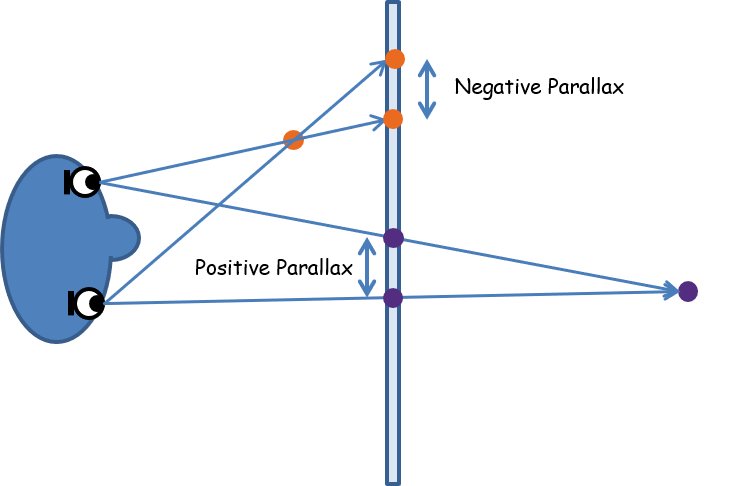
Stereoscopic Rendering
To render a single view in almost any graphics software, you must specify an eyepoint, a look-at point, a view-up direction, and either a field of view (for HMDs) or the location of the projection plane (for HTDs).
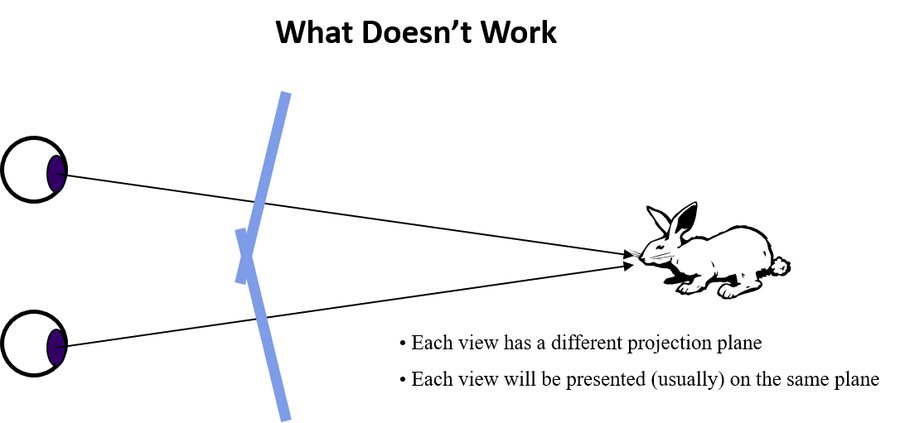
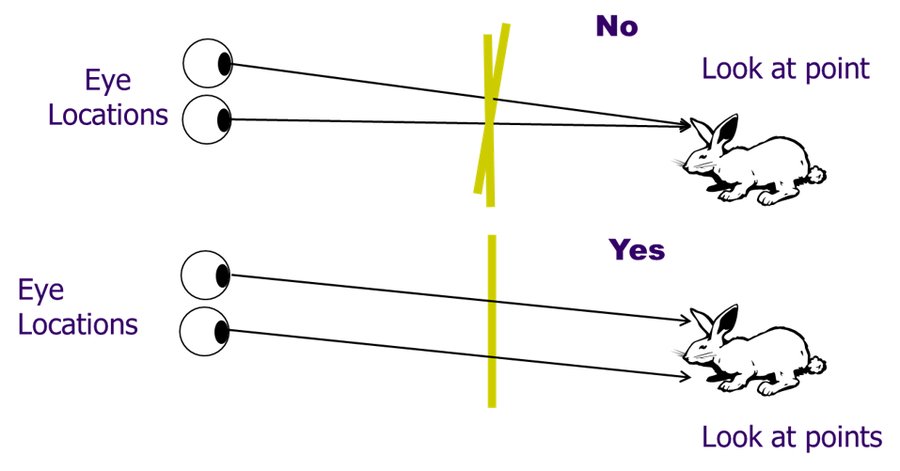
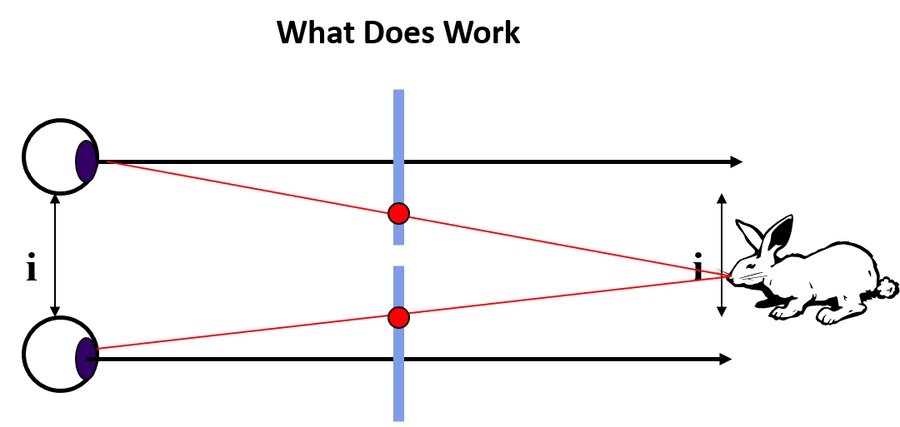
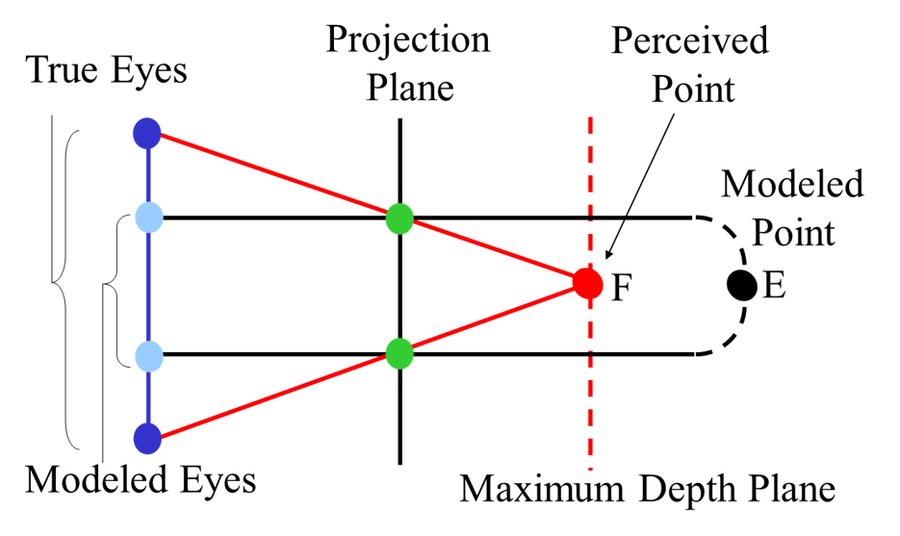
Each eye needs its own look-at point and its own off-axis projection, but both eyes should share the same projection plane — pointing both cameras straight at a single shared look-at point (toe-in stereo) is a common mistake that introduces vertical parallax and eye strain.
Accommodation, Convergence & Depth Distortions
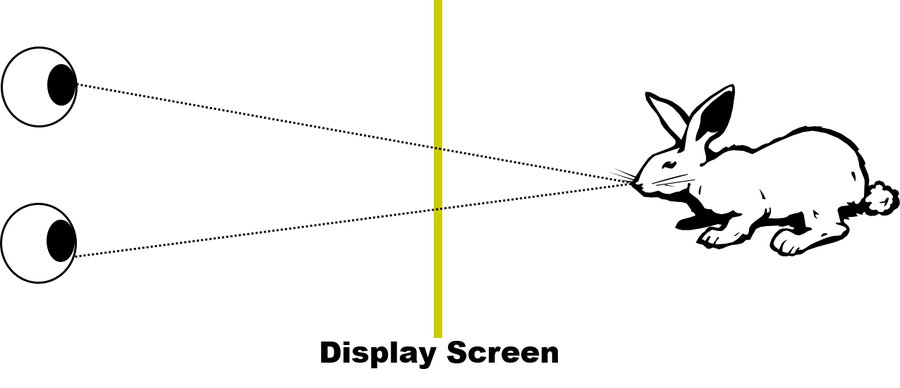
Because focal distance is usually fixed at the screen while convergence changes with a virtual object's rendered depth, the eyes' focus and their aim disagree — the accommodation-convergence mismatch behind much of VR's eye strain.
Types of Stereoscopic Displays
Active displays
Shutters synchronized to open and close at the display's refresh rate (temporal multiplexing).
Passive displays
Filter two overlaid images with oppositely polarized filters (polarization multiplexing).
Linear polarization causes ghosting when the head tilts, since the two views only partially separate, and cuts brightness by about half. Circular polarization avoids the tilt-dependent ghosting at the cost of further brightness and crispness. Linear polarization has an added problem in multi-screen rooms: a floor image can't stay aligned with both the front screen and the side screens at once.
Display Types Gallery
The major categories of head-tracked, room- or desk-based immersive displays.
Single Screen Displays
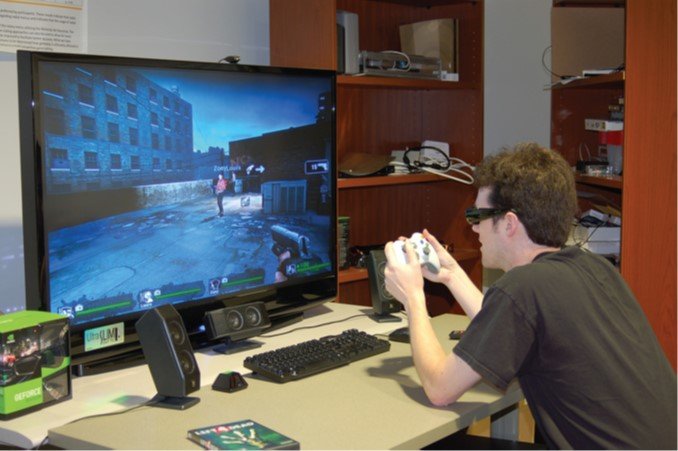
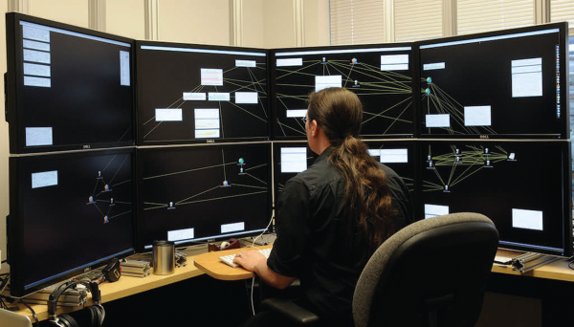
Conventional monitors, HDTVs, front/rear projection screens, and smartphone or tablet displays — sometimes called "fishtank VR" when paired with head tracking and stereo glasses.
Advantages
- Simple and relatively inexpensive
- Supports a wide range of input devices
- Good spatial resolution
Disadvantages
- Not very immersive
- Limited range of user movement
- Accommodation-convergence mismatch
- Physical interaction objects may occlude the display
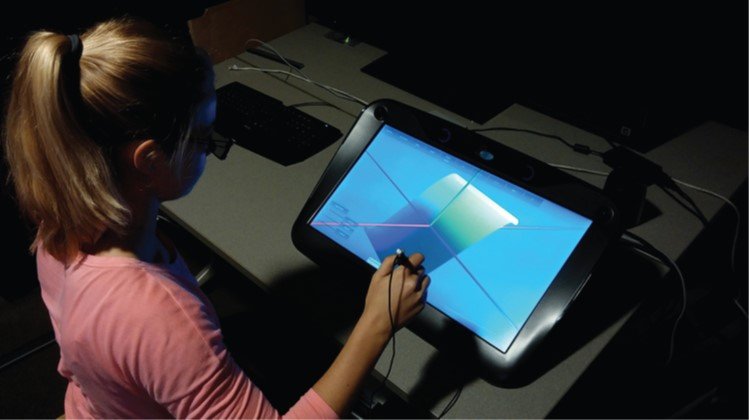
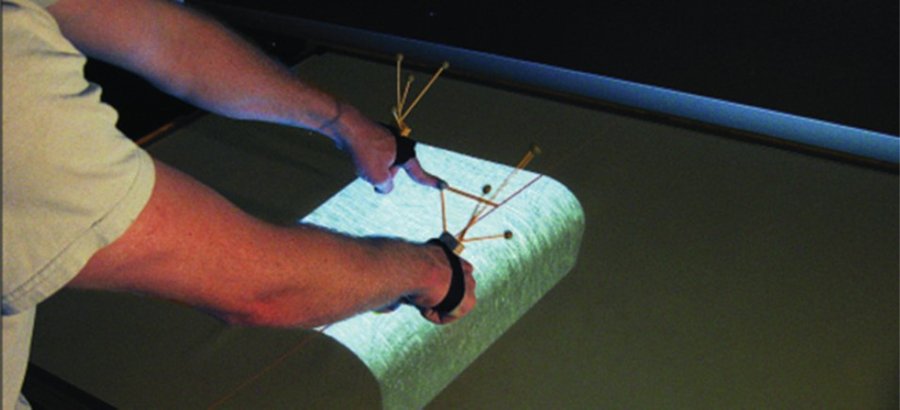
Workbenches & Tabletop Displays
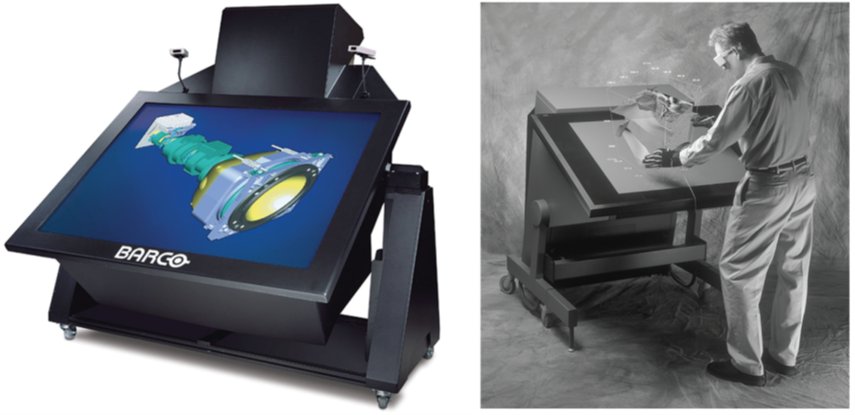
Displays that simulate work and augment interaction on desks, tables, and workbenches — from head-tracked stereo workbenches to multi-touch tabletop displays combining touch and 3D spatial input.
Advantages
- Good spatial resolution
- Intuitive for medical simulation, 3D modeling
- Easily supports both 2D and 3D interfaces
Disadvantages
- Limited range of user movement
- Limited range of 3D viewpoints
- Physical locomotion not possible
- Accommodation-convergence mismatch
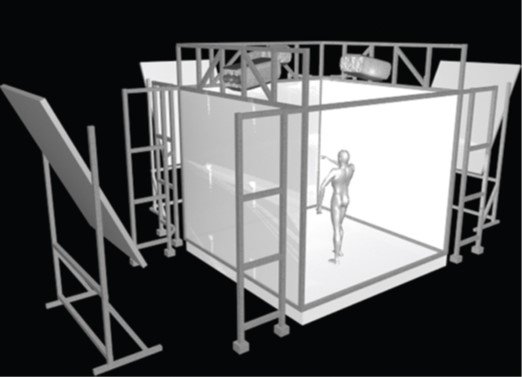
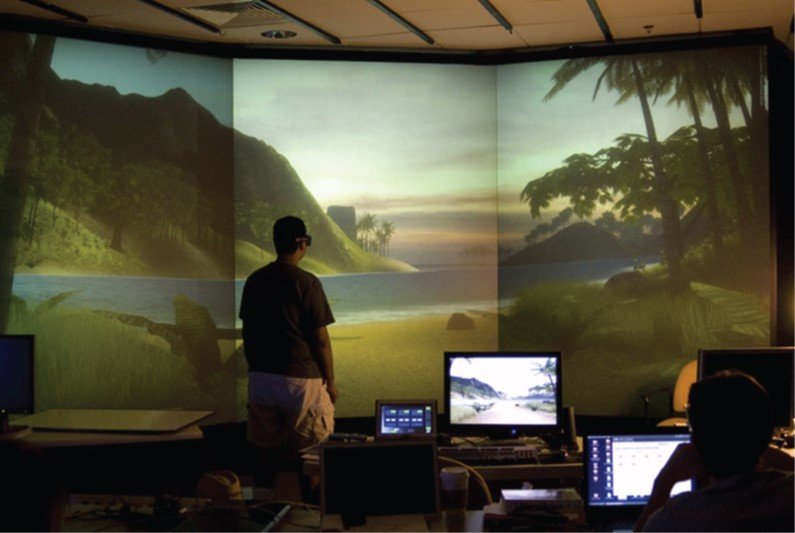
Surround-Screen Displays
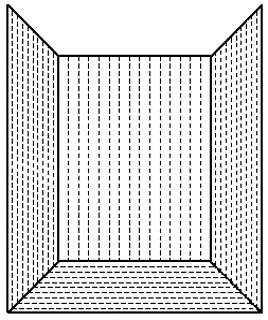
Displays that "surround" the user to increase field of regard — as a set of multiple flat screens, a single large curved screen, or a combination of curved and planar surfaces, including CAVE-style rooms, hemispherical domes, and curved cylindrical theaters.
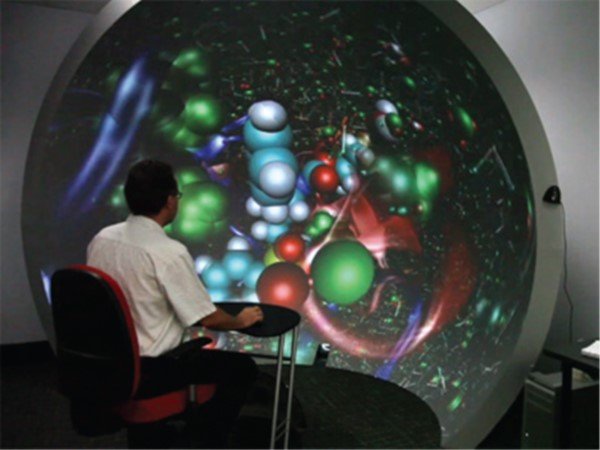
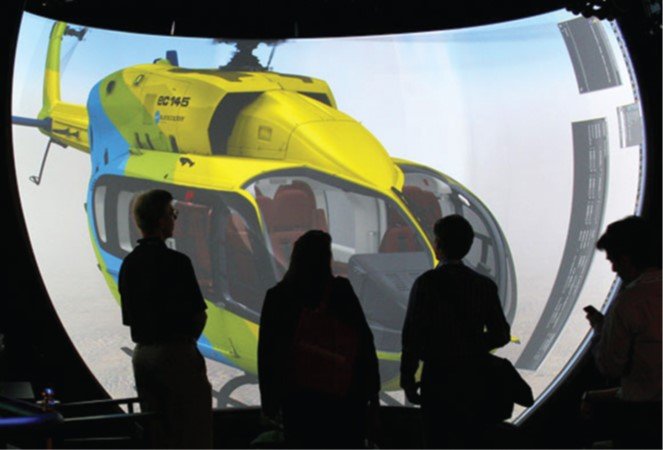
Advantages
- High spatial resolution
- High field of view and field of regard
- Can mix real and virtual objects
Disadvantages
- Expensive, requires significant physical space
- Typically only one user is tracked at a time
- Front projection can affect 3D UI techniques
- Accommodation-convergence mismatch
Arbitrary Surface Displays
Projection mapping displays imagery directly on surfaces of any shape or size, typically paired with a camera for surface estimation, requiring precise projector-camera calibration to account for the surface's geometry, color, and texture.
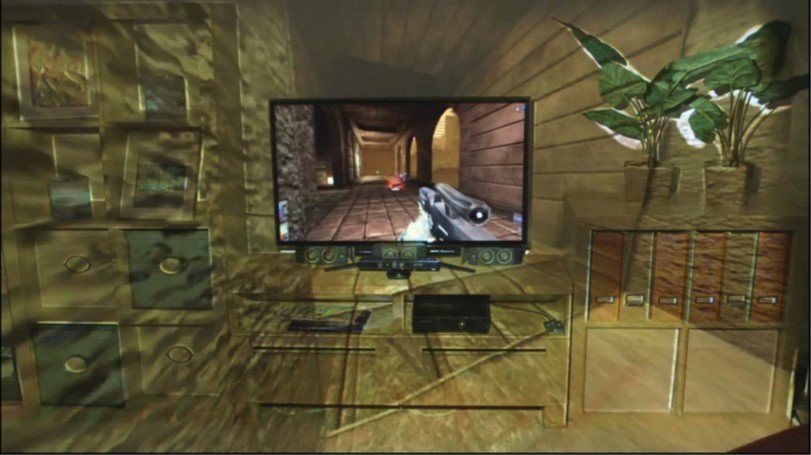
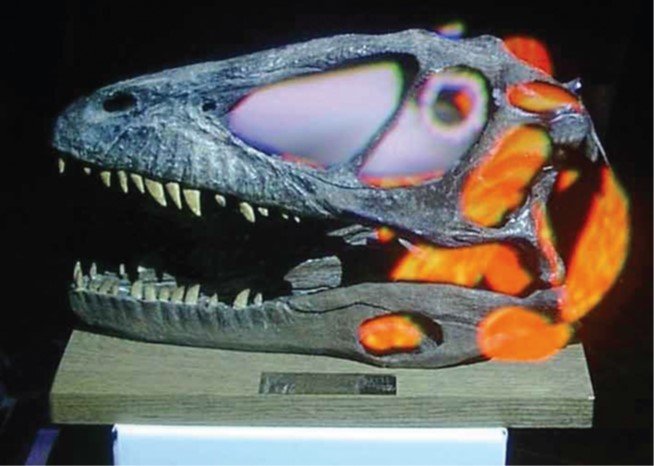
Advantages
- Good 3D depth cues for imagery on an object's surface
- Display is part of the environment
- Display can be anywhere
Disadvantages
- Front projection limits direct manipulation
- Difficult to get right visually
- Needs view-dependent stereo for content above/below the surface
Autostereoscopic Displays
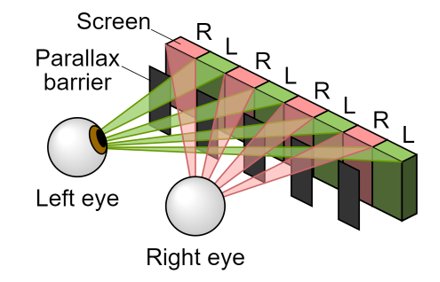
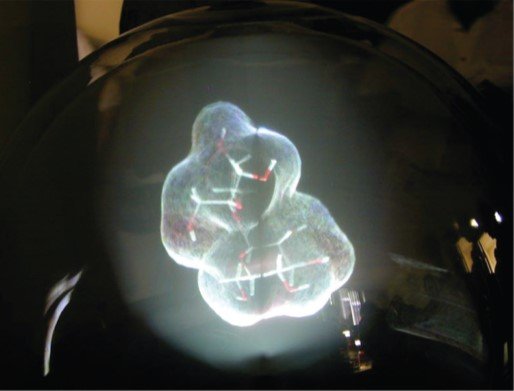
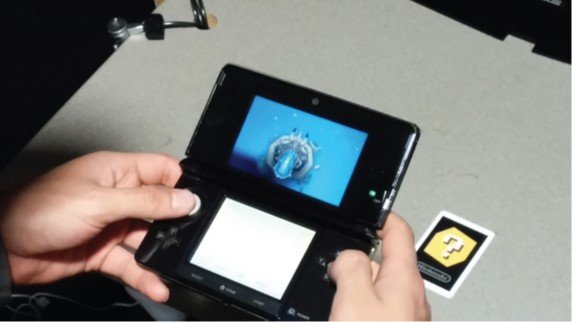
Displays that produce a stereoscopic or true 3D effect without glasses — parallax barriers and lenticular lens arrays direct different pixels to each eye; volumetric and holographic displays instead create (or approximate) genuine light in 3D space.
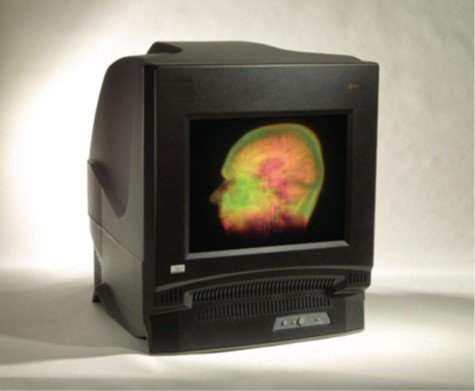
Parallax barrier
A vertical grating so one eye sees even pixel columns, the other odd — 3D only from a predetermined position and angle.
Lenticular display
A cylindrical lens array projects different 2D subzones at different angles, supporting a wider viewing range than a parallax barrier.
Volumetric (static)
Two intersecting invisible laser beams create a single visible point, or a high-speed projector paired with stacked liquid-crystal scattering shutters.
Volumetric (swept)
A periodically time-varying 2D image is swept through a 3D volume at high frequency.
Holographic
Records and reproduces the properties of light waves: a computational step converts a 3D scene into a fringe pattern, then an optical step turns that pattern back into a 3D image.
Head-Mounted Projective Displays
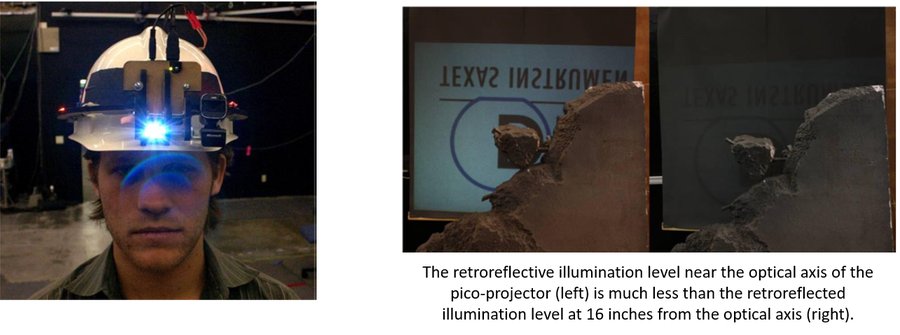
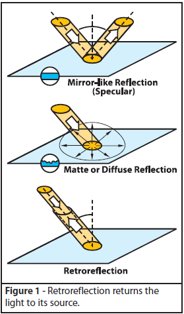
A hybrid between an HMD and a projection display: small projectors attach to a head-coupled device and display images onto the real environment, which must be coated in retroreflective material that deflects light back in the direction it came from.
Try It: Field of View & Resolution
Field of view and resolution trade against each other on any fixed pixel budget. Drag the sliders below to see how widening the FOV spreads the same pixels thinner — and watch the cycles-per-degree and Snellen acuity readouts (from the formula above) fall as a result.